




![IM608 PRO II Full Kit<br>[2-Year Free Update]](http://www.obdprice.com/cdn/shop/files/Autel_IM608S_II_Full_Kit_1_600x600.webp?v=1755662636)

![IM508S PRO<br>[2-Year Free Update]](http://www.obdprice.com/cdn/shop/files/Autel_MaxiIM_IM508S_Pro_600x600.webp?v=1755662755)
![IM508S<br>[2-Year Free Update]](http://www.obdprice.com/cdn/shop/files/AUTEL_MAXIIM_IM508S_600x600.webp?v=1755662895)









Autel Topology 3.0 takes vehicle network diagnostics beyond traditional topology mapping by adding ECU location graphics, Ping ECU testing, active network analysis, and a more intelligent diagnostic workflow. Compared with Topology 2.0, it delivers faster fault isolation and a more intuitive experience for diagnosing modern CAN FD, DoIP, ADAS, and EV systems.
In this guide, you'll discover the key differences between Autel Topology 2.0 and 3.0, compatible scanners, and whether upgrading to the latest generation is worth it.
Topology mapping is a process that visually records the physical and logical structures of a network; this technology is widely used in the field of automotive diagnostics. By graphically illustrating the connections between various electronic control units and modules, topology mapping helps improve the efficiency of automotive diagnostics.
As one of the first brands in the industry to widely adopt topology technology in automotive diagnostics, Autel continues to innovate in this area, ensuring that topology mapping technology integrates seamlessly with Autel scan tools and further drives the automotive diagnostics industry toward intelligent development.
In this guide, we'll compare Autel Topology 2.0 and Topology 3.0, explain the key improvements, and help you determine whether the latest generation is worth the upgrade.

What Is Autel Topology Mapping?
Traditional automotive diagnostic tools typically display only a dry list of components (e.g., ECM, TCM, ABS...) when scanning a vehicle, requiring you to click through each one individually to check for trouble codes.
In contrast, Autel’s topology diagram feature visually displays all of the vehicle’s electronic control units (ECUs) on the screen in the form of a structural or network diagram. It clearly illustrates how each module is connected via the CAN bus or other networks.
In the topology map of the Autel scan tool, different colors represent different meanings, allowing you to identify faulty modules at a glance:
- Green - normal status
- Red - fault
- Gray - no response
Autel Scan Tool Topology 2.0 Overview
Autel Topology 2.0 is an advanced network visualization technology integrated into Autel’s high-end diagnostic scanners.
Unlike basic code readers that display information from electronic control units in dry, text-based formats, Topology 2.0 presents the vehicle’s entire electrical architecture as an interactive, visual tree diagram, enabling technicians to easily identify communication failures, module malfunctions, and network-related issues.
Modern vehicles can contain dozens of electronic control units (ECUs) connected through multiple communication networks such as CAN, LIN, CAN FD, and DoIP. Topology 2.0 automatically scans these modules and visually displays their relationships, helping technicians understand how systems communicate and where faults are located within the network.

Autel Scanner Topology 2.0 Features
Key Features of Autel Topology 2.0
1. Visual ECU Network Mapping
Displays the vehicle's communication architecture in a graphical format rather than a simple module list, making network analysis faster and more intuitive.
2. Color-Coded Module Status
Each ECU is highlighted according to its condition:
- Green: No faults detected
- Red: Fault codes present
- Gray: No communication or skipped module
- Blue: Not scanned (on some models)
3. One-Touch Module Access
Technicians can tap directly on a module within the topology map to enter system diagnostics, read DTCs, view live data, or perform active tests.
4. Real-Time Network Analysis
The topology map reflects the vehicle's actual communication structure, helping identify network interruptions, gateway failures, and communication-related issues more efficiently.
Scanners with Topology 2.0
| Model Level | Autel Scanner Model | Best For | Key Diagnostic Hardware |
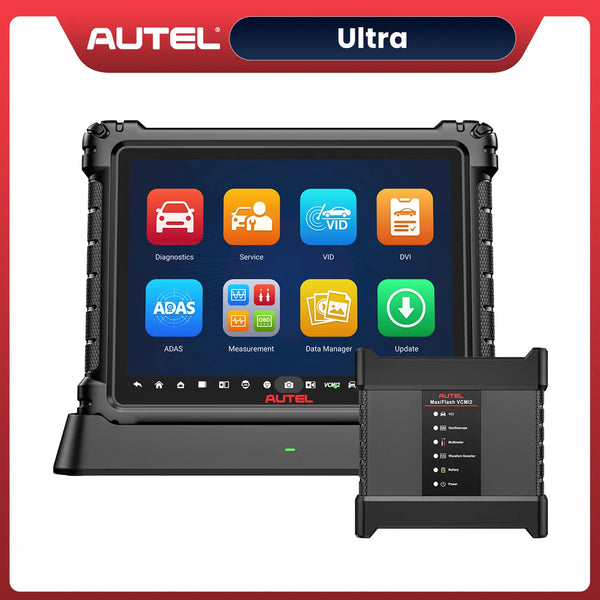
| Flagship / Ultimate | MaxiSYS Ultra | Master Technicians & Large Shops | 12.9" Screen + 5-in-1 VCMI (Scope/Bus Tester) |
| Flagship / Advanced | MaxiSYS MS919 | Advanced Diagnostics & Electrical Techs | 9.7" Screen + 5-in-1 VCMI |
| Professional / Best Value | MaxiSYS MS909 | Busy Independent Repair Shops | 9.7" Screen + Standard J2534 VCI |
| Professional / Lite | MaxiSYS Ultra Lite S | Techs Who Want Flagship Speed for Less | 12.9" Screen + Standard J2534 VCI |
| EV Specialized | MaxiSYS MS909 EV | Electric & Hybrid Vehicle Specialists | 9.7" Screen + J2534 (Varies by vehicle coverage) |
| EV Specialized | MaxiSYS Ultra EV | Electric & Hybrid Vehicle Specialists | 12.9" Screen + 5-in-1 VCMI |
| Heavy Duty (Special) | MaxiSYS MS909 CV | Medium/Heavy Duty Truck Specialists | 9.7" Screen + Standard J2534 VCI |
What's New in Autel Topology 3.0?
-
New Feature: Built-in Ping ECU (Dynamic Network Test)
The 3.0 topology interface now includes a built-in “Ping ECU” button. Technicians can directly send data packets to a specific ECU to test signal quality, round-trip time (RTT/latency), and packet loss rate in real time, allowing them to determine on the spot whether the module has frozen or if there is a break in the communication bus. -
New Feature: Dual-Screen Synchronization and Physical Location Diagrams (Location Graphics)
Topology 3.0 employs a split-screen synchronization mechanism. When you click on any faulty module in the topology diagram, the panel on the right or below will instantly display an illustrated diagram showing the module’s exact physical location within the actual vehicle. Locating modules is no longer a matter of blind guesswork.
Autel Topology 3.0 Location Graphics
-
New Feature: Multi-Speed OE Analysis
Topology 3.0 fully supports and provides detailed analysis of updated, more complex in-vehicle network architectures. It not only identifies traditional CAN and LIN buses but also performs more precise architecture mapping and signal integrity testing for modern multi-speed, high-bandwidth communication networks found in new vehicles, such as FlexRay, Automotive Ethernet, and DoIP. -
New: Data Fusion View
Topology 3.0 allows technicians to merge relevant data streams spanning different network modules into a single detailed topology view. When diagnosing complex, system-wide faults involving multiple vehicle systems (such as complex ADAS-related faults), there is no need to repeatedly switch between different modules.
Scanners with Topology 3.0
| Model Level | Autel Scanner Model | Best For | Key Diagnostic Hardware |
| Flagship / Ultimate | MaxiSYS Ultra S2 | Master Technicians & Large Shops | 13.7" Screen + 6-in-1 VCMI2 |
| Flagship / Advanced | MaxiSYS MS919 S2 | Advanced Diagnostics & Electrical Techs | 11" Screen + 6-in-1 VCMI2 |
| Professional / Best Value | MaxiSYS MS909 S2 | Busy Independent Repair Shops | 11" Screen + Standard J2534 VCI2 |
| EV Specialized | MaxiSYS Ultra S2 EV | Electric & Hybrid Vehicle Specialists | 13.7" Screen + 6-in-1 VCMI2 |
Autel Topology 2.0 vs 3.0 Comparison Table
| New Feature | Topology 2.0 | Topology 3.0 |
| ECU Network Map | ✓ | ✓ |
| Fault Module Highlighting | ✓ | ✓ |
| Vehicle Module Location Graphics | — | ✓ |
| Ping ECU Communication Test | — | ✓ |
| Network RTT Analysis | — | ✓ |
| Active Network Diagnostics | — | ✓ |
| Split-Screen Layout | — | ✓ |
| Real-Time Vehicle Information | Limited | ✓ |
| OE-Style Multi-Network Analysis | Basic | Enhanced |
Why Topology Technology Matters for Modern Vehicles
Modern vehicles rely on increasingly complex networks of ECUs, CAN FD, Ethernet, and DoIP communication systems. As electronic architectures evolve, technicians need more than traditional module-by-module scans. Topology technology provides a visual overview of the entire network, making diagnostics faster and more efficient.
-
ADAS and EV Diagnostics
Advanced systems such as ADAS and electric vehicle powertrains involve multiple interconnected modules. Topology mapping helps technicians quickly identify affected systems and understand their relationships. -
Advanced Vehicle Networks
With the rise of CAN FD and Automotive Ethernet, vehicle communication is becoming more sophisticated. Topology technology simplifies complex network analysis and improves troubleshooting efficiency. -
Faster and Smarter Diagnostics
By showing fault locations and ECU connections at a glance, topology mapping reduces diagnostic time and helps repair shops improve accuracy and productivity.
As modern vehicles continue to become more connected, topology technology is evolving from a premium feature into an essential tool for professional diagnostics.
Conclusion
Autel Topology 3.0 represents a significant advancement in automotive diagnostic technology, offering enhanced features such as built-in ECU ping testing, physical location diagrams, and multi-network analysis. While Topology 2.0 provides a solid foundation for visual network mapping, the improvements in 3.0 make it a more powerful tool for diagnosing complex vehicle systems.


Leave a comment