











You need a separate TPMS tool only if your existing scanner cannot complete the tire-pressure task your vehicle requires. Reading fault codes, activating wheel sensors, programming replacement sensors, and registering sensor IDs are different capabilities. A scanner with a TPMS reset menu may provide only part of that workflow.
Some Autel scanners already combine general diagnostics with complete TPMS service capabilities. If you own one of these models, check its coverage before adding equipment. Autel TPMS tools includes options for both dedicated tire service and combined diagnostic work. The right choice depends on what your current scanner already does.

Quick Decision Guide
| Your task | What you need | Separate tool? |
|---|---|---|
| Read TPMS module faults | Vehicle-specific enhanced diagnostics | Possibly unnecessary if your scanner supports the module. |
| Trigger sensors during a relearn | Compatible sensor activation hardware | Useful if your scanner lacks it. |
| Configure blank replacement sensors | A programmer supporting the exact sensor family | Required unless your current equipment provides that capability. |
| Register IDs through the diagnostic port | Supported OBD relearn workflow | Depends on the scanner, vehicle, and method of obtaining IDs. |
| Use a DS808S-TS for supported TPMS service | Sensor activation, TPMS diagnosis, MX-Sensor programming, and supported relearn | Usually unnecessary when its coverage matches your vehicle and sensors. |
| Calibrate indirect TPMS | The manufacturer’s calibration procedure | A wheel-sensor programmer generally has no role. |
How Autel Scanners Can Eliminate the Need for a Separate TPMS Tool
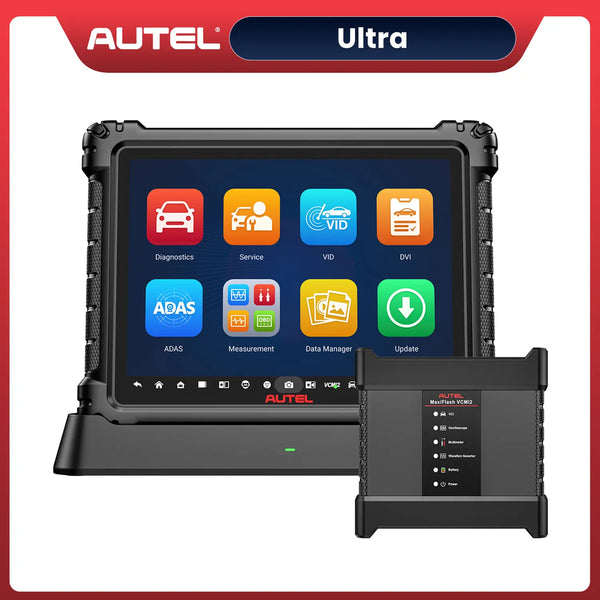
The Autel MaxiDAS DS808S-TS is a concrete example: it combines vehicle diagnostics with sensor activation, TPMS diagnosis, Autel MX-Sensor programming, and supported relearn functions. Owners can handle wheel-sensor work and investigate vehicle-module faults from the same tablet instead of automatically buying another handheld tool.
 $100 OFF
Autel MaxiDas DS808S-TS
$829.00
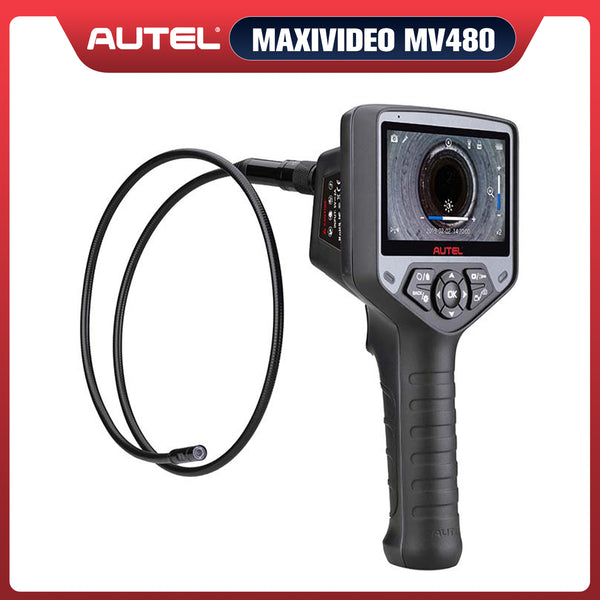
Wireless TPMS Diagnostic Tool with Free Autel Maxivideo MV480, Complete TPMS Programming, OE-Level All Systems Diagnosis, 30+ Services, Upgraded of MP808S/ DS808TS/MP808TS
Its broader diagnostic functions include code reading, live data, active tests, and service functions on supported applications. For a workshop or an owner who handles several types of maintenance, that combination is a practical advantage: the scanner remains useful beyond tire service while also providing dedicated TPMS capabilities.
Complete TPMS capability still requires application verification. The DS808S-TS programs compatible Autel MX-Sensors; this does not mean it programs every sensor brand. TPMS diagnosis and OBD relearn availability also depend on the selected vehicle. Check the exact model, VIN, software, and replacement sensor before a job.
If you are comparing your current scanner with integrated models, see which Autel scanners can program TPMS. Use that model overview to shortlist equipment, then verify the specific functions you need.
Why a TPMS Menu Is Not Enough
A scanner communicates with vehicle modules. Direct-TPMS service equipment can also interact with compatible sensors at the wheels. Module access does not automatically provide the hardware needed to trigger or program a wheel sensor.
Generic OBD-II support concerns emissions-related diagnostics; it does not establish access to manufacturer-specific TPMS functions. Even an all-system scanner needs application-specific coverage. Check the exact model and software rather than relying on the number of service functions advertised.
Four TPMS Functions to Check Separately
Vehicle-side diagnosis
A supported scanner may retrieve TPMS fault codes, registered IDs, and available live data. These help identify what the vehicle reports. A missing-sensor fault is a diagnostic clue, not proof that the sensor itself has failed. Displayed module data also should not be confused with a fresh response obtained directly from a wheel sensor.

Each TPMS task requires its own capability check.
Sensor activation
Activation prompts a compatible sensor to transmit. A suitable tool may display its ID, pressure, and other supported information. This can help check sensor response or complete a stationary relearn that requires triggering wheels in a specified order.
An inexpensive activation-only tool may be enough for one verified procedure. It may have no sensor-programming capability or OBD connection, so it should not be treated as a complete service tool.
Replacement-sensor programming
Programming configures a supported programmable sensor for an application. Depending on the equipment, this may include creating an ID or copying an existing one. A programmer’s ability to activate many sensors does not mean it can program every aftermarket sensor brand.
Check the replacement sensor’s exact family, part number, application, and supported programming method. A preconfigured sensor may require registration with the vehicle without needing the same preparation as a blank programmable sensor.
Vehicle relearn
Relearning teaches the vehicle to recognize sensor IDs or positions. Applications may use automatic learning, a stationary procedure, or an OBD registration process. Programming a sensor and relearning it to the vehicle are separate operations; a replacement job may require both.
Autel’s coverage guide distinguishes automatic, stationary, OBD, and copy methods and flags partially supported OBD coverage. Check the actual application and selected tool; the presence of a vehicle brand in a menu is insufficient.
Direct or Indirect TPMS Changes the Answer
Direct systems measure pressure using tire-mounted sensors. Indirect systems use wheel-speed information and other vehicle signals to assess pressure-related changes, as described in NHTSA’s tire-safety guidance.
A direct system may require sensor activation, replacement-sensor preparation, and ID registration. An indirect system generally requires its specified calibration procedure rather than programming wheel-mounted pressure sensors. Consult the owner’s manual or manufacturer service information. The warning-light symbol alone does not identify the system or its procedure.

The system type determines which tools are relevant.
When a Separate Tool Makes Sense
Your scanner can diagnose TPMS but cannot activate sensors
Keep the scanner for supported vehicle-side diagnosis and add the wheel-side capability it lacks. If you also need sensor programming and OBD relearn, a dedicated device such as the Autel TS508WF is worth evaluating. Confirm sensor and vehicle coverage and how the complete procedure obtains and registers IDs; two devices do not necessarily exchange data automatically.
You install programmable replacement sensors
Choose equipment around the sensor family you intend to use and the vehicles you service. Autel’s TPMS support FAQs discuss MX-Sensor copying methods and vehicle relearn functions. Verify the documentation for your exact tool and sensors instead of treating programming, copying, and relearning as interchangeable terms.
You regularly change seasonal wheels
Repeated wheel changes may justify owning suitable equipment if your vehicle requires registration after a swap. First determine whether it recognizes the installed set automatically or requires another approved procedure. Seasonal wheels do not necessarily mean that sensors must be programmed every time.
For workshops, a separate handheld device can also let one technician inspect wheels while another uses the diagnostic tablet. That is a workflow benefit, not proof of better application coverage.
When Your Existing Equipment May Be Enough
If your scanner includes the required sensor hardware and supports every stage of your vehicle’s procedure, another TPMS device may add little value. Verify activation, programming where needed, and relearn separately. A wireless vehicle interface alone does not establish wheel-sensor functionality.
You may also need no new equipment when the vehicle’s approved procedure can be completed with existing controls and tools. For an occasional replacement, compare the complete equipment cost with a qualified tire shop’s installation and registration service. Include compatible sensors, accessories, software requirements, and your time in that decision.
Three Common Scanner-Owner Scenarios
You have a basic engine-code reader
If your current device mainly reads check-engine codes, do not plan a tire-sensor replacement around it. First identify whether the job requires activation, programming, or OBD registration. A trigger tool may cover a supported stationary relearn, while a more complete TPMS device may be needed for a replacement workflow. Buying another general code reader will not necessarily close that gap.
You have an enhanced diagnostic tablet
Suppose your tablet can display registered sensor IDs but cannot obtain a response at the wheel. Keep that useful diagnostic capability and identify the missing wheel-side function. If the vehicle requires triggered responses during relearn, compatible activation equipment may be sufficient. If you also intend to install blank programmable sensors, check programming support before choosing the smaller tool.
You already have an integrated TPMS scanner
Work through its manual and vehicle coverage before replacing it. If it can communicate with the sensors, prepare the intended replacements, and complete the vehicle procedure, a separate device may duplicate your equipment. An unsuccessful first attempt should prompt checks of application selection, sensor compatibility, procedure conditions, and software coverage rather than an immediate purchase.
A Dedicated Tool Example for an Existing Scanner Owner
The Autel TS508WF is worth evaluating if you want to keep an existing diagnostic scanner and add dedicated TPMS service. Autel documents sensor checks, TPMS diagnosis, MX-Sensor programming, and position relearn for this model. These are relevant capabilities for filling a wheel-service gap, subject to application coverage.
 $33 OFF
Autel MaxiTPMS TS508WF
$272.00
Wi-Fi Updates, Program MX-Sersors 315/433MHz, Relearn/Activate All Sensors
Its MX-Sensor programming capability should not be interpreted as support for programming every sensor brand. Confirm the sensor part number, vehicle application, current software, required relearn method, and package contents before ordering. It also should not be treated as a replacement for your general all-system diagnostic scanner.
For a broader explanation of vehicle-side registration, see what TPMS relearning means. Then return to your vehicle’s service information for the actual procedure. No generic wheel order, driving speed, or learning time applies to every vehicle.
What to Verify Before Buying
- The job: diagnosis, activation, programming, ID registration, or position relearn.
- The vehicle: VIN, model year, sales region, powertrain, and system type.
- Your scanner: exact model, software version, and included accessories.
- The sensors: application, part number, communication requirements, and programming support.
- The entire procedure: confirm that your equipment can complete every required stage.
Ask the manufacturer or seller: “Can this exact tool activate my sensors, program this replacement sensor part number, and complete my vehicle’s relearn with the included hardware?” Request separate answers for each capability.
Choose the smallest complete addition that covers the missing task. A device with more advertised functions is useful only when those functions match the sensors and vehicles you actually service.
Check Tire Pressure Before Resetting Anything
Measure pressures with a suitable gauge and follow the vehicle’s recommended cold inflation pressures. Inspect for leakage or damage as appropriate. Resetting a system cannot repair a leaking tire, restore a depleted sensor battery, or correct an incompatible sensor.
If pressures are correct and the warning remains, follow the vehicle’s diagnostic procedure. Compare module information with sensor responses where suitable equipment is available. After repair and relearn, verify normal operation under the manufacturer’s specified conditions. Tire removal and sensor installation require appropriate equipment and service practices.
FAQs
Can an OBD-II scanner reset TPMS?
Some enhanced scanners support vehicle-specific TPMS resets or relearns. Generic OBD-II support alone does not establish that capability.
Is programming the same as relearning?
No. Programming configures a compatible programmable sensor. Relearning teaches the vehicle to recognize IDs or positions. A replacement job may require both.
Will a basic trigger tool program new sensors?
Do not assume so. Programming requires explicit support for the replacement sensor family and application.
Do I need another tool if my scanner has full TPMS functions?
Usually not. An integrated model such as the Autel MaxiDAS DS808S-TS can provide activation, TPMS diagnosis, Autel MX-Sensor programming, and supported relearn functions. Verify coverage for your vehicle and sensors first.


