











If P0420 comes back after an oxygen sensor replacement, check the code status and catalyst readiness before ordering another part. A permanent P0420 can remain while the car verifies a repair. A fresh pending P0420 or a check engine light that returns after the catalyst test runs calls for more diagnosis. Start with the sensor you installed and check for exhaust leaks and engine faults before testing the Bank 1 catalytic converter itself.

Find Out Whether P0420 Actually Came Back
P0420 means the engine computer detected catalyst efficiency below its calibrated threshold on Bank 1, the side that contains cylinder No. 1. On an engine with several converters, use the service diagram to identify the one the Bank 1 sensors monitor. An invoice that just says “oxygen sensor” gives you little to go on, so find out which position was serviced and what prompted the replacement. For a broader overview, see the P0420 code guide.
Before clearing anything, save stored, pending and permanent codes, the check engine light command, catalyst readiness and available freeze-frame data. Freeze frame is a snapshot of conditions when the computer recorded a fault. Check which code the snapshot belongs to, then note engine temperature, speed, load and fuel trims if available. Those details help you decide which conditions to revisit. This pre- and post-repair scan checklist shows what to save.
| What the scanner shows | What to check next |
|---|---|
| Permanent P0420 only, light off, catalyst monitor incomplete | Follow the vehicle’s readiness procedure and repeat the scan. The computer still needs to verify the repair. |
| Pending P0420 after the catalyst monitor runs | Save the result and check for the conditions that triggered the latest failure. A pending result can appear before the light comes on. |
| Check engine light came back with confirmed P0420 | Read companion codes and freeze frame, then work through the checks below. |
| Sensor heater, circuit, misfire or fuel mixture codes are also present | Diagnose those faults first. They can affect sensor data, exhaust composition or whether the catalyst monitor runs. |
Recheck the Sensor Installation
Bank 1 Sensor 1 is upstream of the monitored converter. Bank 1 Sensor 2 is downstream. The upstream reading helps the computer manage the mixture, and downstream data helps it evaluate the catalyst. Check the repair invoice and match the installed part number to the VIN or the exact engine and emissions application. Sensors can look alike while having different electrical characteristics or connector wiring.
Look for a connector that never fully latched, a backed-out terminal, a harness touching the exhaust or a lead pulled tight across a bracket. Check the sensor seating and surrounding bung with the exhaust cold. If a heater or circuit code appeared after the job, use the factory wiring diagram and test procedure to check that circuit. If the upstream unit is a wideband air-fuel ratio sensor, identify whether the scanner displays lambda, current or a manufacturer-specific voltage before interpreting it. Wideband data requires the matching service specification.

Look for an Exhaust Leak Around Bank 1
Start around the area that was disturbed during the repair, then follow the exhaust from the manifold to the downstream sensor. Check gasket joints, flex sections, welds and sensor bungs. Look for soot trails, missing hardware or a flange that sits crooked. A brief ticking sound during a cold start can give you a location to investigate. A small leak can draw outside air into the exhaust stream and alter the oxygen reading the computer uses to judge the converter.
Toyota’s exhaust leak tech tip documents this possibility on specific Toyota models and engines. Use the service information for your own vehicle to select the leak test. If visual checks leave the joint in doubt, ask a shop to confirm it with an appropriate low-pressure test. Let the exhaust cool before touching it and use a lift or correctly rated supports if access underneath is required.

Check for Problems That Can Skew the Catalyst Test
Start With Misfires and Fuel Trims
Check current and pending misfire codes and available misfire counters. An engine can run smoothly during a short idle check and misfire under load. If the freeze frame points to a particular operating condition, use a safe road test with recording enabled or have a technician reproduce it. A flashing check engine light signals a potentially catalyst-damaging misfire. Stop driving as soon as it is safe to do so and address the misfire.
With the engine warm and in closed loop, compare short- and long-term fuel trims at idle and under a steady operating condition. Positive trim means the computer is adding fuel, and negative trim means it is subtracting fuel. Sustained positive trim most noticeable at idle can guide you toward an intake leak. A deviation that persists under load merits checks such as fuel delivery or air metering, depending on the vehicle. Use the manufacturer’s expected ranges before calling a reading abnormal.
Ask About Oil Use, Coolant Loss and Past Repairs
A history of oil consumption, internal coolant leakage or extended rich running can help explain a damaged converter. Check fluid trends and the repair history, especially if plugs foul or the original sensor was contaminated. Address the underlying engine problem before installing a converter so the replacement avoids the same exposure. A recently corrected misfire can still be relevant if the converter overheated while that fault was present.
Use Live Data and the Catalyst Monitor Together
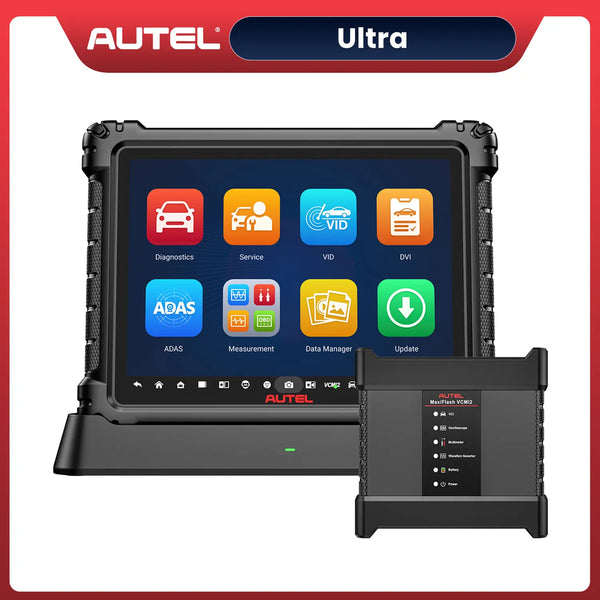
The Autel MaxiCOM MK900-BT is an option for DIYers and shops that want to review freeze frame, graph live data and check I/M readiness on one tablet. Autel's MK900-BT manual also describes its OBD-II On-Board Monitor menu. In the OBD-II menu, start with DTC & FFD, switch to Live Data for sensor readings, and use I/M Readiness and On-Board Monitor to review the results after the drive. Available parameters and monitor results depend on what the vehicle reports.

 $120 OFF
Autel MaxiCOM MK900-BT
$699.00
2026 Autel Wireless Diagnostic Scanner with OE-Level All System Diagnostics, Bi-Directional Control & 40+ Service Functions
- Choose a short data list. Start with the Bank 1 upstream and downstream readings, engine temperature and fuel system status. Record trims separately if adding parameters makes the sensor graph update too slowly.
- Use the vehicle’s test conditions. Compare the correct sensor parameters once the engine and catalyst are warm, using the factory procedure. On many systems a downstream signal that closely follows the upstream changes during the relevant test can suggest reduced oxygen storage. A cold-start pattern or a few seconds of idling gives you limited evidence.
- Read the completed test where supported. In On-Board Monitor, often called Mode $06, look for the correctly identified Bank 1 catalyst result and its reported limits. Record the value, limit and pass or fail status together. If identification, units or scaling are unclear, check factory diagnostics before interpreting the numbers. Use each bank’s own limit on a two-bank engine.
A rear sensor that appears flat can also reflect a recording problem, sensor fault or test conditions that produce little change. If the signal looks implausible, verify response through the manufacturer’s sensor test. With leaks ruled out, normal mixture control, responsive sensors and a repeated Bank 1 test failure under the specified conditions, a degraded converter becomes a stronger diagnosis. Check for VIN-specific service bulletins or applicable emissions warranty coverage before authorizing replacement.
Verify the Repair After the Monitor Runs
Save a baseline before clearing codes if the service procedure calls for it. Clearing emissions codes can erase freeze frame and reset readiness. Follow the vehicle-specific catalyst monitor procedure with any temperature, speed and soak conditions it requires. Check I/M readiness afterward. “Complete” tells you the monitor has run, so also check the light command, fresh pending or stored codes and the test result if available. If the monitor stays incomplete, investigate its enabling conditions rather than clearing it again.
On vehicles that report permanent codes, the computer clears a permanent P0420 after it verifies the relevant fault is gone under the required conditions. The California BAR OBD reference guide explains why a scanner or battery disconnect cannot erase it. Keep a post-repair scan with the monitor status and code categories so you can tell a lingering permanent entry from a new failure.
FAQs
Which oxygen sensor should I replace for P0420?
Use the vehicle’s sensor-specific tests to decide. P0420 identifies the Bank 1 catalyst monitor, and either sensor should be replaced only when testing points to a fault in that sensor.
Can an aftermarket oxygen sensor cause P0420 to return?
An incompatible sensor or an installation fault can affect the readings used by the monitor. Verify the exact application, connector and sensor response before drawing conclusions about the replacement.
Why is my catalyst monitor still incomplete after several drives?
The monitor needs vehicle-specific conditions. Check for codes or temperature issues that can inhibit the test, then follow the manufacturer’s readiness procedure. Mileage alone cannot tell you when it will run.
Does a passing catalyst monitor guarantee an emissions inspection pass?
A completed passing catalyst test is evidence that the repair worked under the test conditions. The inspection can also consider other monitors, the check engine light, permanent codes and local requirements.


