Autel Dealer
Faster Delivery in 3-5 Days
Faster Delivery in 3-5 Days
Find the right Autel diagnostic tool based on the features you need.
Scan and diagnose supported vehicle control modules.
Perform active tests and command supported vehicle components.
Configure supported modules and perform supported online coding.
Reprogram supported ECUs and perform advanced software-level repairs.
View vehicle modules and communication networks visually.
Support modern vehicle communication protocols.
Perform resets, relearns, adaptations and maintenance functions.

Tire pressure monitoring systems (TPMS) and OBD2 diagnostic scanners are two key technologies for modern vehicle safety and maintenance. Many car owners often wonder: Can any OBD2 scanner reset a TPMS?
The answer is no. This article will delve into the reasons why resetting a TPMS often requires specialized tools and explain how to choose the right product.
TPMS is a system that automatically monitors the internal air pressure of a vehicle's tires. It provides the driver with real-time tire pressure information through a warning light or digital display on the dashboard. Maintaining standard tire pressure is crucial because it is directly related to:
TPMS can promptly alert drivers before tire pressure problems develop into safety hazards. It is a key configuration for preventing accidents and improving road safety.

TPMS light indicates tire pressure system failure
The standard Autel OBD2 scanner is mainly used for engine, emission system and some electronic control modules diagnosis. It can be used to read and clear diagnostic trouble codes, helping to solve problems such as sensor failure and fuel system abnormalities.
However, TPMS devices often have the following limitations:
Most OBD2 scanners only communicate with the ECU (Engine Control Unit) and cannot interact directly with the TPMS control module.
Resetting the TPMS typically requires re-matching or reprogramming the sensor IDs, which cannot be accomplished with standard scanners.
Generic OBD2 tools cannot read critical data such as tire pressure, temperature, or battery status.
The bottom line is: Standard OBD2 scanners can read some TPMS-related codes, but cannot actually perform reset, relearn, or programming operations.

Autel OBD2 scanner does not include TPMS service function.
To achieve a complete reset of the TPMS, the scanner needs to support the following key features:
When choosing a professional TPMS diagnostic and reset tool, you should pay attention to the following core features:

Professional Autel TPMS Tool Function
A TPMS reset allows the vehicle's computer to re-"learn" the sensor information for each tire.
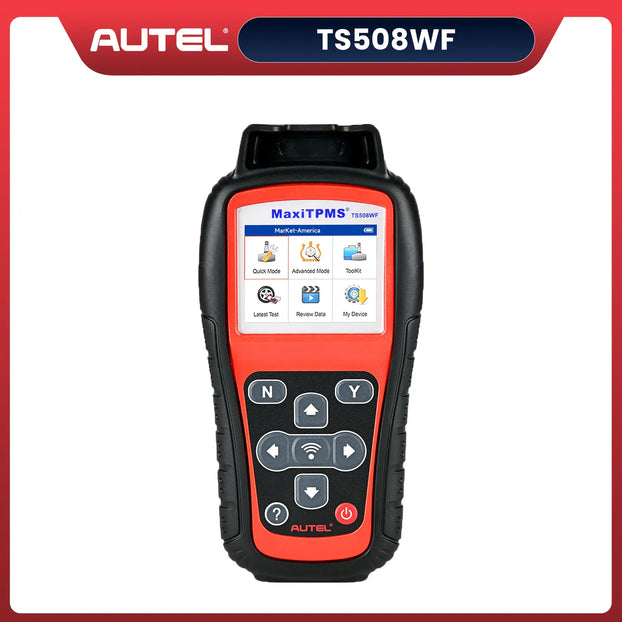
The Autel MaxiTPMS TS508WF is Autel's first non-tablet TPMS tool to offer Wi-Fi software updates. This TPMS tool is a comprehensive tire pressure management solution capable of reading, activating, and relearning all recognized sensors. It utilizes dual MX sensor programming technology for flexible and efficient setup.
It also supports resetting placard values on compatible vehicles to ensure accurate pressure readings and key fob signal testing, providing a complete tire pressure monitoring system diagnostic and maintenance experience.
$239.00
Autel MaxiTPMS TS508WF Advanced TPMS Service Tool With Wi-Fi Updates, Program MX-Sersors 315/433MHz, Relearn/Activate All Sensors
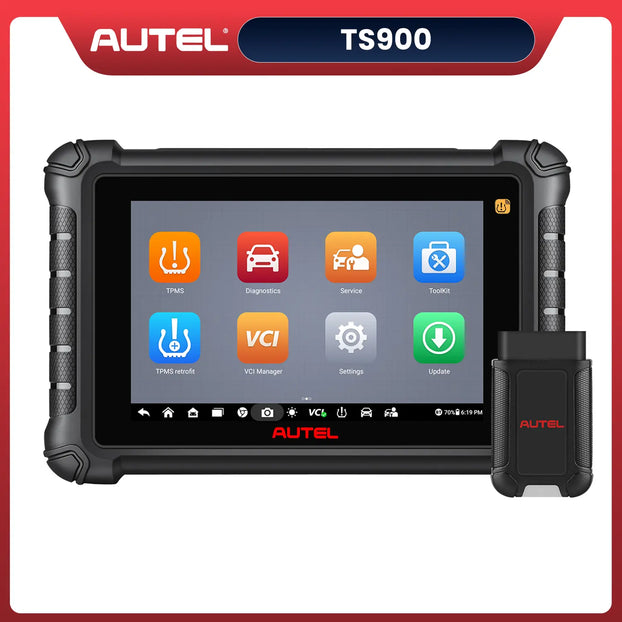
Shop NowAutel released the MaxiTPMS TS900 in 2025 as the new version of MaxiTPMS TS608, MX808TS, MK808TS, and MK808S-TS. The MaxiTPMS TS900 is designed to cover a wider range of vehicles and functions, with updated software and hardware.
The Autel TS900 not only includes full-system diagnostics but also offers professional TPMS functionality. It also supports over 40 service reset functions and special features like two-way control, covering over 80 American, Asian, and European car brands manufactured after 1996.
$699.00
TPMS Programming Tool | Full TPMS Functions | Program MX Sensor | Bi-Directional Control | All System Diagnostics | 40+ Reset Services | Upgrade of TS608/MX808TS/MK808TS
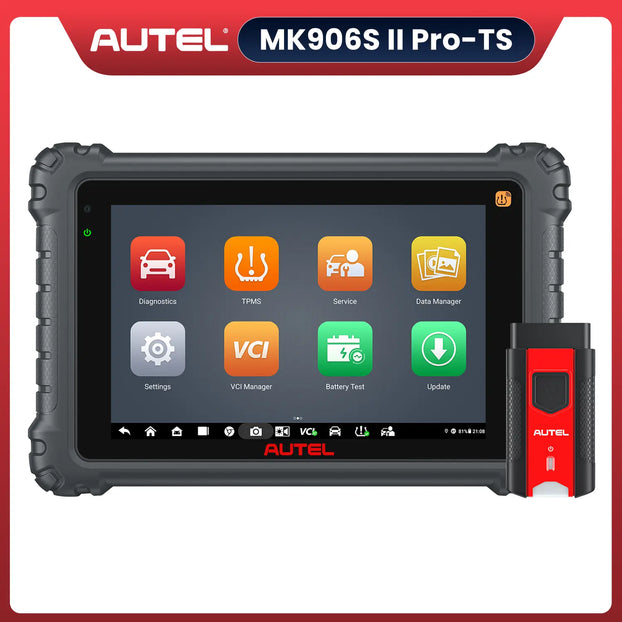
Shop NowThe Autel MaxiCOM MK906S Pro II-TS is a 2025 premium diagnostic tool with an 8-inch HD touchscreen, octa-core processor, and 128GB storage. It offers full-system diagnostics, TPMS programming, bi-directional control, ECU coding, and advanced service resets (oil, EPB, DPF). Supports 21 languages and hidden function activation.
$1449.00
Autel MaxiCOM MK906S Pro II TS | 2025 TPMS Functions ECU Coding | Bi-directional Control | 36+ Reset Services | Upgrade Ver. OF MS906 PRO-TS/ MS906 PRO/ MS906TS/ MS906BT
View MoreIn short, not all OBD2 scanners are capable of resetting the TPMS. Ordinary OBD2 scanners can only read limited information, while true TPMS resetting, programming, and learning functions require specialized tools.
The Autel TPMS tool ensures fast and accurate resetting and programming during tire replacements, sensor maintenance, or system failures, effectively safeguarding vehicle safety and performance.
Choosing a comprehensive, highly compatible professional tool is the wise choice for every serious car owner or technician maintaining the TPMS system in modern vehicles.




![IM608 PRO II Full Kit<br>[2-Year Free Update]](http://www.obdprice.com/cdn/shop/files/Autel_IM608S_II_Full_Kit_1_600x600.webp?v=1755662636)

![IM508S PRO<br>[2-Year Free Update]](http://www.obdprice.com/cdn/shop/files/Autel_MaxiIM_IM508S_Pro_600x600.webp?v=1755662755)
![IM508S<br>[2-Year Free Update]](http://www.obdprice.com/cdn/shop/files/AUTEL_MAXIIM_IM508S_600x600.webp?v=1755662895)