Autel Dealer
Faster Delivery in 3-5 Days
Faster Delivery in 3-5 Days
Find the right Autel diagnostic tool based on the features you need.
Scan and diagnose supported vehicle control modules.
Perform active tests and command supported vehicle components.
Configure supported modules and perform supported online coding.
Reprogram supported ECUs and perform advanced software-level repairs.
View vehicle modules and communication networks visually.
Support modern vehicle communication protocols.
Perform resets, relearns, adaptations and maintenance functions.

When your Autel OBD2 scanner doesn’t turn on after connecting it to your vehicle’s diagnostic port, it can be frustrating—especially if you're in the middle of trying to troubleshoot a warning light or perform routine diagnostics.
Thankfully, this issue is often caused by just a couple of common problems that are easy to identify and fix. In this guide, we’ll go over the two most likely reasons why your Autel scan tool isn’t powering up, how to troubleshoot each one, and what steps to take to get back to diagnosing your vehicle.
The most common reason your Autel scanner won’t power on is due to a blown accessory fuse in your vehicle. This is the fuse that supplies power to the OBD2 port, also known as the Data Link Connector (DLC). All Autel scanners—whether it’s the MaxiCOM MK808S or MaxiCheck MX900—rely on this port to draw power during diagnostics.
If that fuse is damaged or blown, the scanner won’t receive the voltage it needs to operate. This is true even if the scanner itself is in perfect working condition. From the scanner’s perspective, it’s as if the car isn’t plugged in at all.
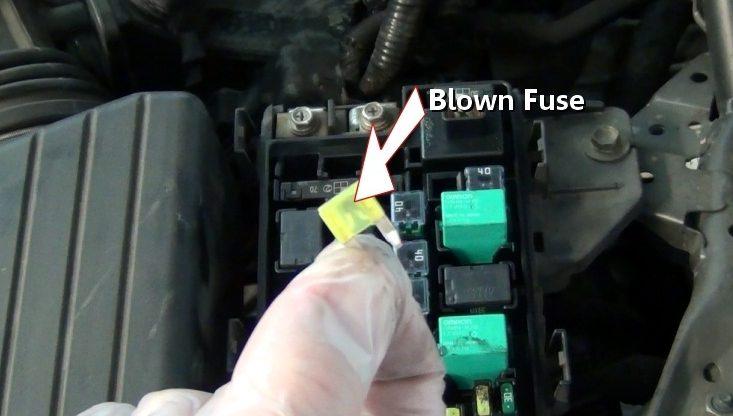
A blown fuse in a car.
Once the fuse is replaced, plug your Autel scanner back into the OBD2 port. In most cases, it should power up immediately.

Check the fuse with a multimeter.
If your car’s battery is dead, disconnected, or has extremely low voltage, your Autel scan tool won’t be able to power on. The OBD2 port pulls power directly from the vehicle’s battery. Without at least 12 volts of available power, most scanners—including Autel’s professional and mid-range tools—won’t function.
Even if your vehicle shows signs of partial power (like dim dome lights or weak accessory operation), that may not be enough to activate the OBD2 system.
If your vehicle powers on and the fuse is intact, your scanner should now boot up and begin communication.
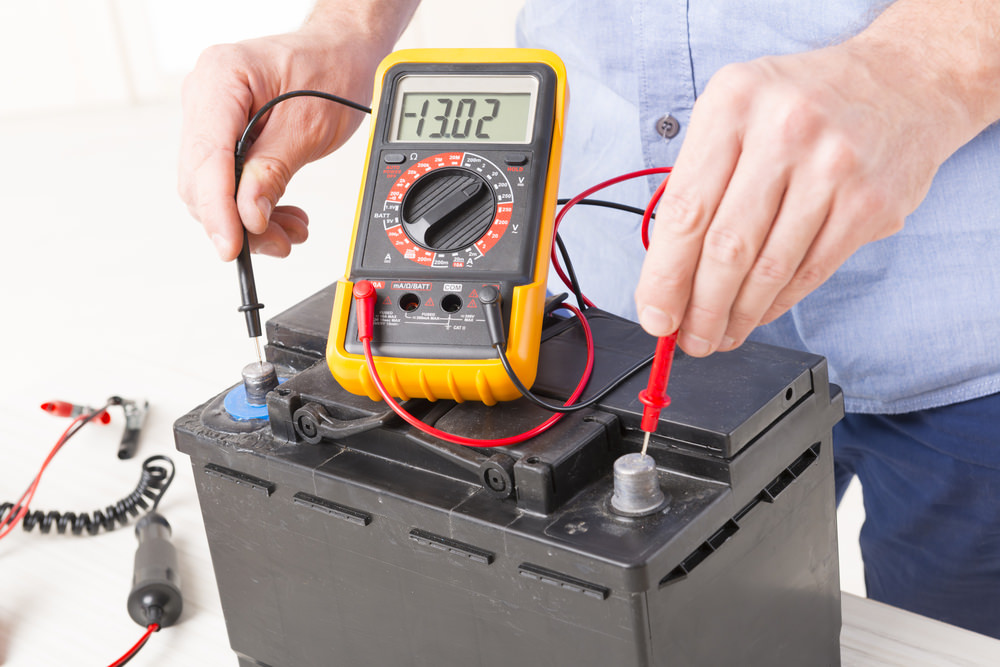
Use a multimeter to check if your car battery has sufficient voltage.
Some Autel scan tools come equipped with built-in lithium batteries, allowing you to use the device away from the vehicle for tasks like reviewing diagnostic data, saving reports, or performing software updates over Wi-Fi.
However, even with an internal battery, the scanner still relies on the vehicle’s OBD2 port to establish communication with the ECU. The battery powers the screen and internal functions, but does not provide the necessary voltage for diagnostic communication.
In other words, if the vehicle’s accessory fuse is blown or the battery is dead, the scanner may turn on, but it will not be able to connect to the vehicle for diagnostics.
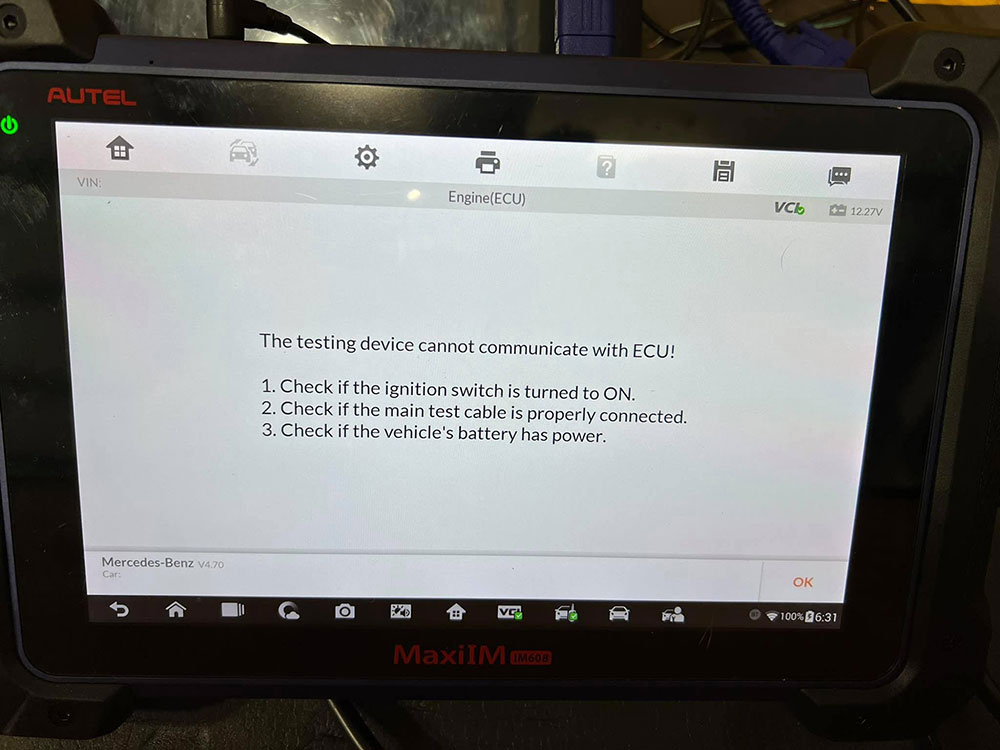
A dead car battery prevents the Autel scanner from communicating with the ECU.
Yes—if your car still has power (for example, the dashboard lights come on or accessories work), then your Autel scan tool should still be able to connect. The engine does not need to be running for most diagnostic tasks, and many functions can be performed with just the ignition in the ON position.
As long as the fuse is good and the vehicle’s battery isn’t dead, you can use your scanner to read trouble codes, run system tests, and monitor sensor data—even if the engine won’t crank or start.
When your Autel scanner doesn’t power up, the issue is often simple: either your vehicle has no power, or the OBD2 port’s fuse is blown. With a basic fuse check or a quick battery test, you can usually resolve the issue without needing professional repair.
Still stuck? Contact Autel customer support or visit your local repair shop for help. And remember, while Autel scan tools are powerful, they depend on your vehicle’s electrical system to function properly.




![IM608 PRO II Full Kit<br>[2-Year Free Update]](http://www.obdprice.com/cdn/shop/files/Autel_IM608S_II_Full_Kit_1_600x600.webp?v=1755662636)

![IM508S PRO<br>[2-Year Free Update]](http://www.obdprice.com/cdn/shop/files/Autel_MaxiIM_IM508S_Pro_600x600.webp?v=1755662755)
![IM508S<br>[2-Year Free Update]](http://www.obdprice.com/cdn/shop/files/AUTEL_MAXIIM_IM508S_600x600.webp?v=1755662895)