




![IM608 PRO II Full Kit<br>[2-Year Free Update]](http://www.obdprice.com/cdn/shop/files/Autel_IM608S_II_Full_Kit_1_600x600.webp?v=1755662636)

![IM508S PRO<br>[2-Year Free Update]](http://www.obdprice.com/cdn/shop/files/Autel_MaxiIM_IM508S_Pro_600x600.webp?v=1755662755)
![IM508S<br>[2-Year Free Update]](http://www.obdprice.com/cdn/shop/files/AUTEL_MAXIIM_IM508S_600x600.webp?v=1755662895)









Modern car anti-theft systems are becoming increasingly sophisticated. While this makes cars safer, it also makes key programming more complex. Sometimes DIY methods may not work, so you’ll need to use specialized key programming tools to add new keys, saving you both time and money.
In previous articles, we covered how to program key fobs for BMW, Mercedes-Benz, Volkswagen, Honda, and Ford vehicles. Today, we will focus on explaining how to program key fobs for Hyundai vehicles, including specific step-by-step instructions for both DIY methods and programming using the Autel key programming tool.

Understanding Hyundai Key Fobs
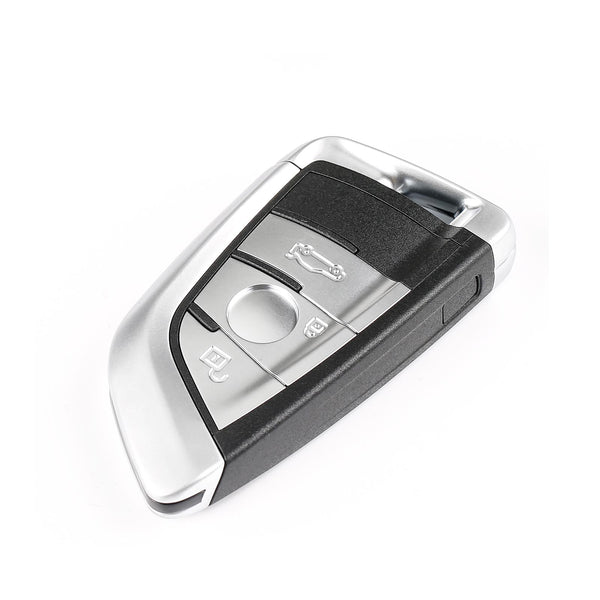
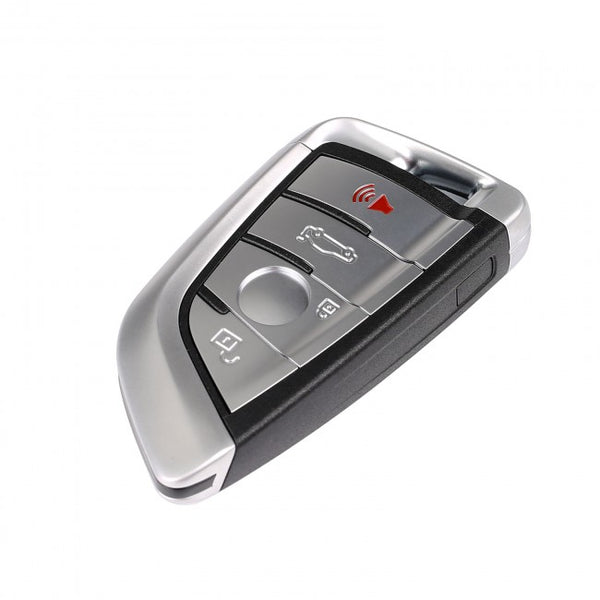
Knowing your specific Hyundai key fob type is the first step before attempting any DIY programming or ordering a replacement. Hyundai has used a few distinct styles over the years, varying by model, trim level, and production year.
1. Flip Keys / Switchblade Keys
- How it works: The physical metal key blade is hidden inside the fob and springs out when you press a small release button (usually located near the top corner).
- Ignition Type: Requires you to physically insert the metal blade into the steering column ignition cylinder to turn and start the car.
- Common Eras: Widely used on entry-to-mid-tier trims from the late 2000s through the late 2010s (e.g., older Elantras, Sonatas, and Tucsons).
2. Proximity Smart Keys (Push-Button Start)
- How it works: The key stays in your pocket or bag. The car detects the fob’s radio frequency identification (RFID) signal, allowing you to unlock the doors via a button on the door handle and start the engine using a Push to Start dashboard button.
- Hidden Feature: These fobs always contain a hidden internal emergency mechanical key blade slide-out (accessible via a small release tab on the back) to unlock the driver's door manually if the fob battery dies.
- Common Eras: Standard on most modern Hyundai vehicles with higher trim levels from 2011 onward.
3. Standard Remote Head Keys
- How it works: The metal key blade is permanently fixed and exposed, extending directly out of the plastic remote housing that holds the lock/unlock buttons.
- Ignition Type: Traditional turn-key ignition.
- Common Eras: Mostly found on older models (pre-2012) or base-model utility vehicles.

Diffreent Types of Hyundai Keys
Crucial DIY Tip: When sourcing a replacement fob for DIY programming, matching the visual shape isn't enough. You must look at the back of your current working fob (or cross-reference your VIN) to match the exact FCC ID number and frequency (MHz). Even identical-looking fobs use completely different internal transponder chips depending on the exact year and region.
When You Need to Program a New Key Fob
Your key fob is crucial to your car; without it, you won't be able to enter or start your vehicle. If you lose or damage your key and need a spare, you'll often need to program a new one.
Because of the key fob's unique chip and its ability to control the car, you can program it yourself or use an advanced key programming tool like the Autel key programmer.
How to Program Hyundai Key Fob
Method 1: DIY Programming Instructions (For Older Models)
This common DIY procedure works for many older, keyed-ignition Hyundai models:
- Prep the Vehicle: Sit in the driver’s seat and make sure all doors are closed.
- Turn the Ignition: Insert your key into the ignition and turn it to the ACC (Accessory) position. For push-start models, tap the start button once without pressing the brake.
- Activate Programming: Press and hold the Unlock or Open button on the key fob for approximately 15-20 seconds.
- Confirm Signal: Watch for the vehicle’s confirmation signal. This may be the door locks cycling (locking then unlocking) or the exterior lights flashing.
- Finish & Test: Release the button immediately upon confirmation. Turn the ignition to the OFF position to complete programming. Step out and test all key fob functions.

Hyundai Key Fob Programming
Method 2: Using a Professional Key Programing Tool
For newer Hyundai models, especially those with push-button start, the DIY method may not work. In this case, you can use a professional key programming tool like the Autel KM100 to program your key fob.
Preparations
- Determine the key model
- New Blank key
- Autel KM100 Key Programmer
- Ensure a stable internet connection
Steps to Program with Autel KM100:
This tutorial uses the Autel KM100 to demonstrate the key programming process for a 2015 Hyundai Sonata in a scenario where all keys have been lost.
🛠️ Phase 1: Vehicle Identification and PIN Code Retrieval
1. Select Menu: From the device’s main interface, access the IMMO (Immobilizer Matching) function.
2. Identify Vehicle: Select Auto VIN (Automatic Vehicle Identification) to allow the device to automatically retrieve vehicle information. Once the information is successfully retrieved, click OK.
3. Confirm Vehicle Model: In the region and model list, select: USA (US Version) -> Hyundai Sonata -> 2015, then click Confirm.
4. Retrieve Anti-Theft PIN:
- Enter the Vehicle Information menu; the system will indicate that the anti-theft type/PIN type is 8A.
- Follow the on-screen prompts to perform the following vehicle actions: Turn the ignition switch OFF, open the driver’s door, and then close it.
- Click OK, and the device will begin retrieving the vehicle model’s PIN Code from the server. This process typically takes 1 to 4 minutes; ensure a stable internet connection during this time.
- Once the code is successfully retrieved, the screen will display the PIN Code (anti-theft code). Make a note of it or click OK.

Read Immobilizer Pin Code
🔑 Phase 2: Smart Key Learning
5. Enter the learning menu: Return from the current screen and select Keyless System -> Remote Control Learning -> Smart Key Learning in sequence.
6. Pre-pairing preparations:
- The system will prompt that this function supports “Add Key” and “All Key Lost.”
- Ensure the ignition switch is off again, then open and close the driver’s door once, and tap OK.
7. Confirm PIN: The device will automatically populate the PIN Code it just read into the input field. Carefully verify that it is correct, then tap OK.
8. Start programming the New key
- Note: After tapping OK, you must complete the first step within 5 seconds.
- When prompted on the screen, use the top of the new key to press the Start/Stop button on the vehicle.
- The device will display “Program Success.”

Hyundai Key Programming Succeeded
🏁 Stage 3: Testing and Exiting
9. Disconnect: Exit the device’s diagnostic program, close the car door, and reopen it once. Disconnect the Autel device from the vehicle’s OBD2 port.
10. Functional Testing:
- Remote Control Testing: Press the lock and unlock buttons on both keys to verify that the vehicle locks and unlocks.
- Start Testing: Get into the vehicle with the keys, press the brake pedal, and press the push-button start button to confirm that the vehicle starts normally.
Conclusion
Programming a Hyundai key fob can be straightforward for older models using DIY methods, but newer models often require specialized tools like the Autel KM100 for successful programming. Always ensure you have the correct key fob type and follow the specific instructions for your vehicle to avoid any issues.
If you encounter difficulties or are unsure about the process, consulting a professional locksmith or your local dealership is recommended.


Leave a comment