




![IM608 PRO II Full Kit<br>[2-Year Free Update]](http://www.obdprice.com/cdn/shop/files/Autel_IM608S_II_Full_Kit_1_600x600.webp?v=1755662636)

![IM508S PRO<br>[2-Year Free Update]](http://www.obdprice.com/cdn/shop/files/Autel_MaxiIM_IM508S_Pro_600x600.webp?v=1755662755)
![IM508S<br>[2-Year Free Update]](http://www.obdprice.com/cdn/shop/files/AUTEL_MAXIIM_IM508S_600x600.webp?v=1755662895)







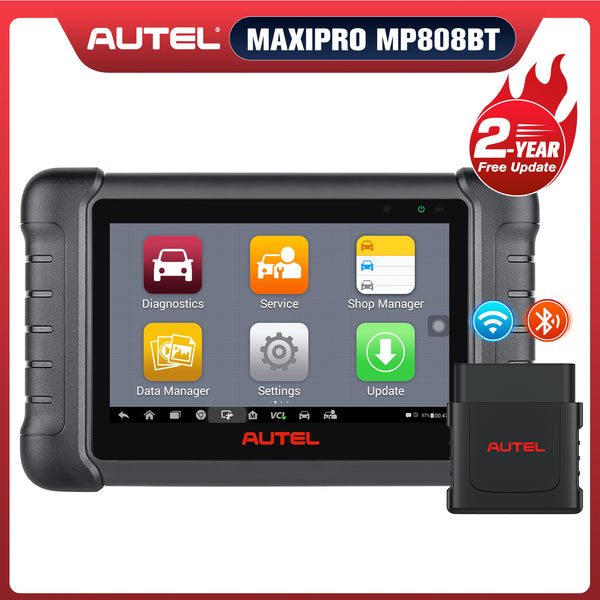

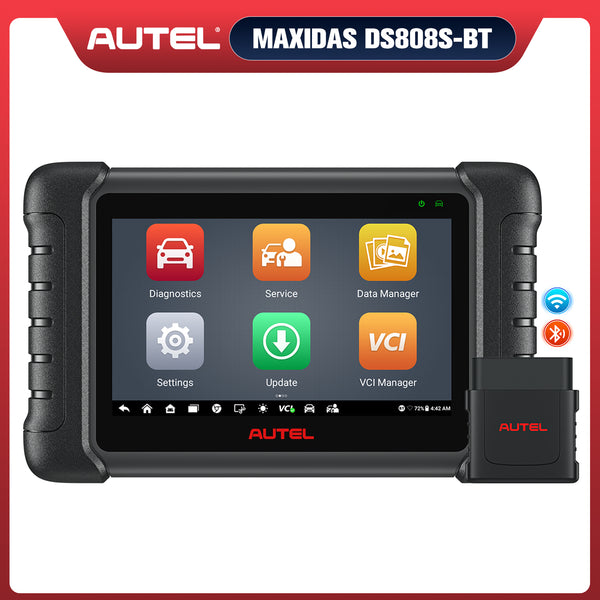


ECU coding is an advanced function of automotive diagnostic tools, supported by all Autel scanners in the MP808 series and above. This feature can enhance comfort, convenience, and meet specific user preferences based on the vehicle's software.
In a previous article, we introduced how to program the headlights of a Mercedes-Benz using the Autel MS908S Pro II advanced scanner. Today, we will mainly introduce how to perform ECU coding on a Mercedes-Benz using the Autel MP808Z-TS.

What is the ECU Coding?
ECU is an abbreviation for Electronic Control Unit, the brain of a car. ECU coding involves optimizing and upgrading the existing program code within the ECU, including adjusting parameters, flashing hidden features, and modifying the code.
ECU programming offers numerous benefits. First, it can significantly improve engine power and torque, resulting in faster acceleration and a more exhilarating driving experience. In terms of efficiency, ECU programming allows for fine-tuning of the engine, making it run more economically and reducing fuel consumption and emissions.
Furthermore, programming can activate or disable certain vehicle functions, enabling drivers to personalize settings to their liking. This level of personalization not only ensures better vehicle performance but also better meets the driver's needs and driving style.
Why Choose MP808Z-TS for Mercedes ECU Coding
he MP808Z-TS is a representative diagnostic tool among Autel professional scanners. It is more affordable compared to other scanners that support ECU coding, yet its diagnostic functions and hardware configuration are highly advanced.
It features a quad-core processor and Android 11 operating system, supports full-system OE-level diagnostics, as well as professional ECU coding, bi-directional functionality, and complete TPM diagnostics. There are several main reasons for choosing the MP808Z-TS for Mercedes-Benz ECU coding:
- Supports online/offline coding of commonly used Mercedes-Benz modules
- More economical pricing, suitable for repair shops and advanced DIY enthusiasts
- Integrates TPMS, service functions, and Actuation Tests
- Wide vehicle coverage and frequent updates

The M808Z-TS supports advanced ECU coding function
Mercedes-Benz ECU Coding Steps
Step 1: Connect the Vehicle Correctly
Insert the Autel MP808Z-TS slave device into the OBD II port on the driver's side of the Mercedes-Benz to enable the car to communicate with the Autel scanner.
Step 2: Select the Diagnostic Interface to Enter the Mercedes Menu
After selecting the diagnostic menu, proceed to the vehicle brand and model selection. You can use the Auto VIN function to automatically identify vehicle information, saving time compared to manual selection. Once the information is identified, perform a check and confirmation.
Step 3: Click the Programming Function and Select the Module Want to Program
Select "Programming" to enter, then go to the coding/programming menu, and select the module you need to code to start coding.
Step 4: Enter ECU Coding Display and Adjust the Data
Select "Display of Coding Data" to access the settings, where you'll see adjustable data, including speed limit settings, tire roll circumference, and whether ethanol is permitted. Select the hidden features you want to adjust or unlock to rewrite the data.
Step 5: Click "Coding" to Complete the ECU Coding
After modifying the data, click "coding" below to encode it. The encoding will then be completed.
Refer to the video below:
Mercedes-Benz Common Coding Functions
The Autel scanner supports many functions for Mercedes-Benz ECU coding, including the following:
- Initialization after replacing the module
- Lamp coding (LED/Xenon, adaptive headlights)
- Radar/camera re-matching
- Automatic start-stop setting
- Turn signal flashing count adjustment
- Automatic wiper and headlight mode settings
Note: Not all Autel scanners support the above functions. The ECU coding functions they support depend on the car model and the Autel scanner model. Some car models have higher safety ratings and may support fewer ECU coding functions. More advanced Autel scanners support a wider range of coding functions.
Common Problems and Solutions
Some problems may occur during the coding process. Here are the solutions:
-
Unable to access the coding menu
If you cannot access the coding menu, it is very likely because your car model does not support ECU coding or your Autel scanner needs a software upgrade.
-
Coding write failed
There are many reasons why ECU coding might fail, the most common being unstable voltage, Wi-Fi interruption, and module hardware failure. Therefore, when performing ECU coding, it is essential to ensure a stable network connection and voltage control. Furthermore, fault codes should be cleared and faulty module hardware replaced before coding.
-
A fault light appeared after coding
Clear the fault codes. If the problem persists, you may need to re-encode the ECU to determine the specific cause.
-
Some options are grayed out and cannot be selected
The functionality is limited by hardware and is not a software issue.

Mercedes ECU Coding Problem
Conclusion
The MP808TS allows you to perform Mercedes ECU coding safely and efficiently. By following the proper steps, you can restore module functions or enable customized vehicle settings with ease. Keeping the device software up to date is also recommended to ensure the best compatibility and performance.


