




![IM608 PRO II Full Kit<br>[2-Year Free Update]](http://www.obdprice.com/cdn/shop/files/Autel_IM608S_II_Full_Kit_1_600x600.webp?v=1755662636)

![IM508S PRO<br>[2-Year Free Update]](http://www.obdprice.com/cdn/shop/files/Autel_MaxiIM_IM508S_Pro_600x600.webp?v=1755662755)
![IM508S<br>[2-Year Free Update]](http://www.obdprice.com/cdn/shop/files/AUTEL_MAXIIM_IM508S_600x600.webp?v=1755662895)










A damaged ECU is a major headache for everyone. Such damage is generally difficult to repair and often requires replacing the ECU with a new one. However, new ECUs are expensive and do not contain the vehicle’s original VIN, anti-theft data, mileage, and other information.
Consequently, ECU cloning technology has emerged as a solution; it replaces a damaged ECU by replicating the program and data from an existing ECU, thereby saving costs and improving efficiency. Today, we'll take a look at how to clone a BMW ECU using the Autel Key Programming Tool.

What is ECU Cloning?
ECU cloning is the process of replicating the software and data from an existing ECU to a new or damaged one. This allows for the replacement of a faulty ECU without the need for expensive parts or loss of vehicle-specific information.
In the context of BMW vehicles, ECU cloning is particularly beneficial as it preserves the original VIN, anti-theft data, mileage, and other critical information that is essential for the proper functioning of the vehicle.
When is ECU cloning necessary?
ECU cloning is necessary in several scenarios, including:
- ECU Damage or Malfunction: When ECU hardware damage or chip failure prevents the vehicle from starting or causes frequent error messages, ECU cloning is used to copy the data from the original ECU to a new one, allowing the vehicle to “run exactly as before.”
- ECU Upgrade or Replacement: Upgrading the ECU to support new performance features or replacing it with a blank ECU of the same model requires cloning the original ECU data to the new ECU to ensure consistency in vehicle settings, key information, and accessory data.
- Replacing or Repairing Electronic Modules: If a vehicle’s ECU is locked by the anti-theft system, you must use the ECU cloning feature to copy the EEPROM or VIN data to a new module to ensure that the vehicle’s anti-theft information, key pairing, and mileage data are not lost.
- Avoiding Re-learning/Reprogramming: On certain vehicles, replacing the ECU requires extensive learning/matching procedures. Cloning allows for direct copying of the configuration, eliminating the complex process of reprogramming and adaptation.
- Replacing with a Used ECU: Replace a damaged ECU with a used one. Cloning the data from the original ECU to the used ECU will allow the vehicle to function normally.

Damaged or malfunctioning car ECU
Preparations Before Cloning a BMW ECU
Required Tools and Equipment
To clone a BMW ECU, you will need the following tools and equipment:
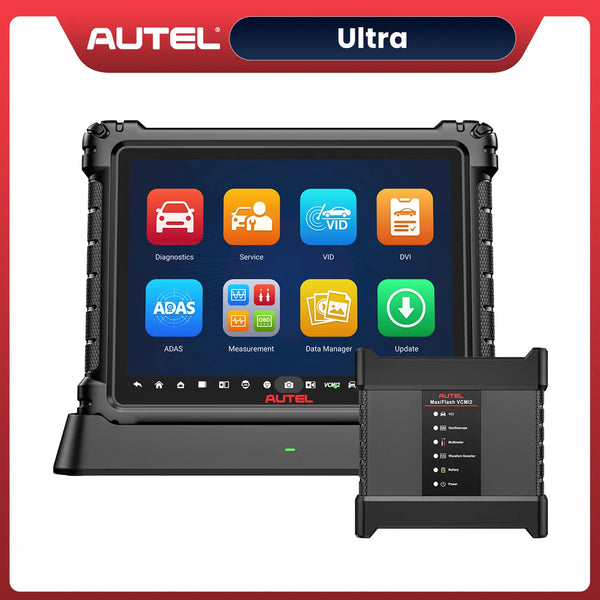
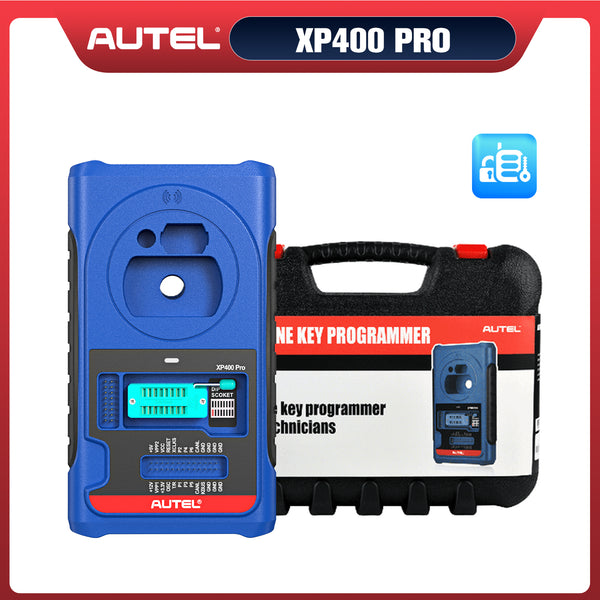
- Autel Key Programming Tool: A professional diagnostic and programming tool(such as Autel IM608S II) that supports ECU cloning for BMW vehicles.
- Compatible ECU: A new or used ECU that is compatible with your BMW model and can be cloned.
- OBD-II Cable: To connect the Autel Key Programming Tool to the vehicle’s OBD-II port for data transfer.
- Power Supply: Ensure that the vehicle’s battery is fully charged or use an external power supply to prevent power loss during the cloning process.
- Autel Key Programmer Tools: MaxiFlash JVCI +, G-BOX3, AC/DC Adapter and so on.
Environmental Conditions
Ensure that you are working in a clean, well-lit, and static-free environment to prevent damage to the ECU and ensure accurate data transfer. Avoid working in areas with high humidity or extreme temperatures, as these conditions can affect the performance of the ECU and the cloning process.
Steps to Clone a BMW ECU Using Autel Key Programming Tool
The following steps demonstrate how to clone a BMW MEVD17.2.9 ECU using the Autel IM608S II and G-BOX3
Step 1: Select the Vehicle Model, Year, and Engine Type
Turn on the Autel IM608S II and navigate to the vehicle selection menu. Choose the appropriate BMW model, year, and engine type to ensure compatibility with the ECU cloning process. Here are some guidelines for choosing a path:
MaxiIM > IMMO > BMW > System selection > Engine > Direct > Bench > F Chassis > BOSCH TC1797 MEVD17.2.9

Select the vehicle model, year, and engine type
Step 2: Connect the Key Programmer, G-BOX3, and ECU Correctly
Connect the Autel IM608S II to the G-BOX3 using the appropriate cables. Then, connect the G-BOX3 to the ECU using the correct wiring configuration. Ensure that all connections are secure and that the ECU is properly powered during the cloning process.
- Connect the MaxiFlash JVCI + to the Autel IM608S II using the appropriate cables. Refer to the user manual for specific pin assignments and connection diagrams.
- Connect the G-BOX3 to the MaxiFlash JVCI +
- Connect the ECU to the G-BOX3 using the correct wiring configuration. Refer to the diagram displayed on the screen for specific pin assignments; this is the standard wiring diagram. During installation, you must strictly follow this diagram when wiring, ensuring that each wire is connected individually.
Important Note: Before powering on the device, please ensure that all wiring is complete and has been checked and verified as correct.
Step 3: Read EEPROM and FLASH Data and Save It
Once the connections are secure, use the Autel IM608S II to read the EEPROM and FLASH data from the original ECU. This process may take several minutes, so be patient. After reading the data, save it to a secure location on your device for later use during the cloning process.

Read EEPROM and FLASH Data
Step 4: Prepare the New ECU and Connect It to the G-BOX3
After completing Step 3, turn off the power to the G-BOX3 and disconnect it from the old ECU. Follow the wiring diagram in the user manual to complete the wiring, ensure it is properly connected to the G-BOX3, and then proceed with the programming.
Step 5: Write the Saved Data to the New ECU
With the new ECU connected, use the Autel IM608S II to write the previously saved EEPROM and FLASH data to the new ECU. This process will clone the original ECU’s data to the new one, allowing it to function as if it were the original.
Step 6: Install the New ECU to the Vehicle
After successfully writing the data to the new ECU, disconnect it from the G-BOX3 and install it back into the vehicle. Ensure that all connections are secure and that the ECU is properly seated in its mounting location.
Refer Video
Conclusion
ECU cloning is a valuable technique for replacing damaged or malfunctioning ECUs without losing critical vehicle information. By using the Autel Key Programming Tool, you can efficiently clone a BMW ECU, saving time and money while ensuring that your vehicle continues to operate smoothly. Always follow the manufacturer’s instructions and safety precautions when performing ECU cloning to avoid any potential issues.
Unless you're a professional, it is recommended to seek assistance from a qualified technician when performing ECU cloning. Because of the complexity and potential risks involved, it is important to have proper training and experience in this field.


Leave a comment